


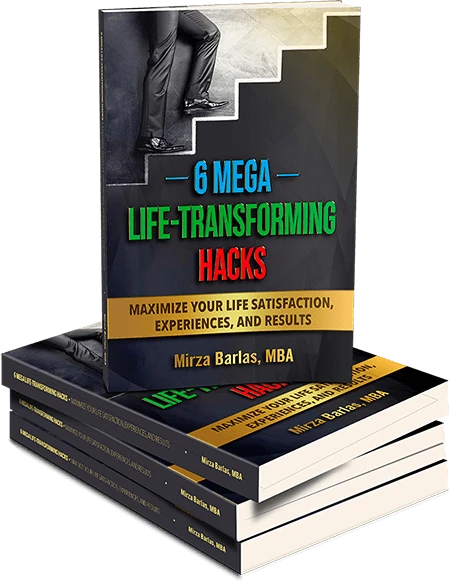
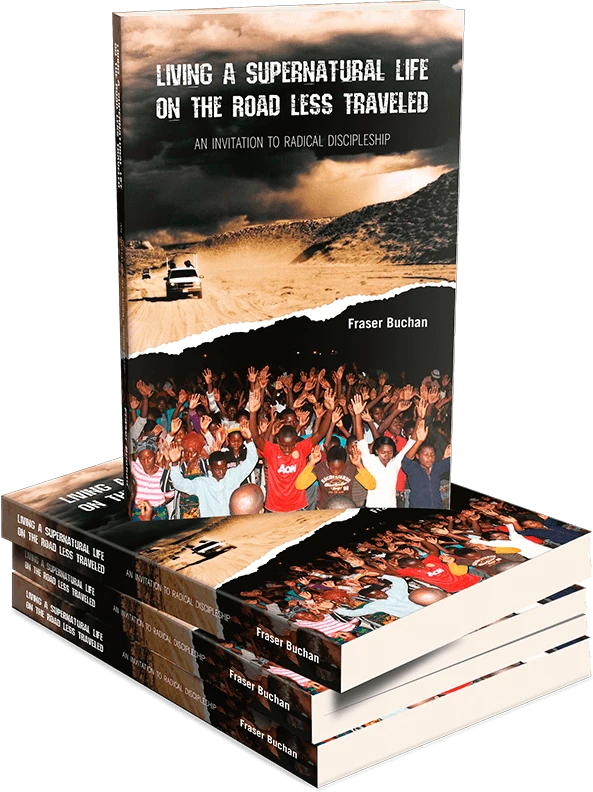
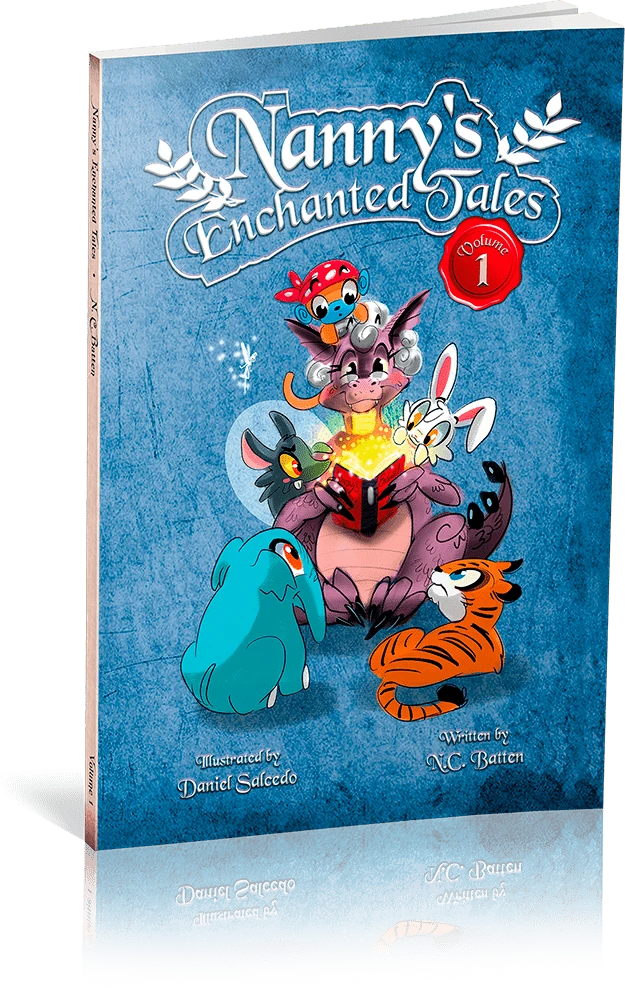
Who a 3D book mockup is for
You have approved the cover and want readers to see the book as an object: something with a spine, page edges and a place on the shelf. BrainON creates digital book presentations for self-publishing authors in Canada, the US and worldwide. They help you introduce the edition before you have a pile of printed copies to photograph.
This is useful when you are preparing a launch announcement, updating your author website or assembling material for an interview. The aim is recognition: a reader should connect the image with the title they will find elsewhere. A dramatic angle is welcome when it helps. When it hides the title, it has become rather too interested in itself.
What happens to your cover files
A book cover mockup starts with the edition
We begin with the approved artwork and the kind of book you want to show. A paperback and a hardcover should not quietly exchange identities between your shop listing and your promotional image. Tell us which edition the presentation represents, and send the corresponding artwork, including the spine when it will be visible.
Next we consider the image's job. Is it introducing an unfamiliar title, showing a collection, or supporting an announcement whose wording will sit nearby? Those uses call for different emphases. A front view gives the artwork attention; an angled view also reveals the physical character of the book. Several views can be useful, provided each earns its place.
We look at the whole presentation
The cover needs enough space to read comfortably within its setting. We consider the relationship between the book, background and surrounding content, rather than judging the object in isolation. Show us the intended placement if you can. A screenshot of a draft page can explain more than the instruction “make it pop,” which leaves quite a lot to the imagination.
For a closer look at what the artwork should communicate, read how a cover introduces a book. A promotional view should support that existing identity rather than suggest an entirely different story.
How to prepare your mockup files
You do not need a physical copy or specialist presentation software to begin. Clear source material and a useful brief are more valuable than an elaborate explanation of camera angles.
- Send the finished cover artwork and identify the version that has been approved.
- Name the edition being shown, including whether it is softcover or hardback.
- Include the spine and back artwork if you want those areas visible.
- List the places you plan to use the images, with examples of the surrounding page or announcement where available.
- Tell us which words or details must remain easy to recognise.
- Flag any cover changes still under discussion before the presentation is prepared.
- Share references you like and explain the useful part: simplicity, viewpoint or the relationship between the book and its setting.
Send the best original artwork you have, rather than a screen capture of it. Our note about keeping original image files explains why preserving the source matters. If you are unsure which file is the final one, say so; a named uncertainty is much easier to resolve than a confident guess.
Book presentation decisions for authors
Choose what the reader needs to see
Decide whether the image needs to explain the cover or the physical edition. A nearly front-facing view may be enough for the first task. An angle can help with the second, but the extra dimension should not come at the expense of a readable title. Look at the image within the page where it belongs, not only enlarged on its own.
When choosing a paperback mockup or hardcover mockup, identify which binding is relevant to your announcement. If both editions matter, tell us how you intend to distinguish them in the surrounding wording. The image and the description should agree about what readers are being offered.
Plan the destination before the decoration
On an author website, the visual may sit beside a description and a link. In social media, it may need to make sense within a short announcement. Online ads have their own placement context. Share that context early so the presentation can be considered alongside the words, rather than squeezed into a leftover space afterwards.
For a preorder announcement, check which edition and cover have actually been confirmed. For a book launch, decide whether the main message is the title itself or its availability. The image does not need to repeat every sentence around it. Leave the publishing biography for somewhere that welcomes a paragraph.
Common mockup mistakes we help you avoid
The most awkward mistakes are often quiet ones: an earlier subtitle, an old author name treatment or a spine belonging to another edition. Compare the artwork with your current publication details before approving it. A convincing digital object can make outdated information look wonderfully official.
Another problem is choosing views by quantity. A stack and an upright copy may make sense together; a folder full of almost identical angles may add little to your promotion. Start with the actual placements you need to fill. You can then judge whether a proposed view contributes useful information.
Also distinguish a promotional image from evidence of the manufactured book. A digital presentation helps people imagine the edition. It cannot tell you how the paper feels or whether a printer has reproduced the colour as you expected. Review physical production separately when that is the question you need answered.
What you receive from digital mockups
You receive the agreed book views prepared for the promotional uses discussed with us. Your approved cover supplies the visual identity; the presentation adds the sense of a finished object. Confirm the intended destinations and output requirements with us so the delivered images have a clear purpose.
Keep the final cover version alongside the promotional visuals. If the title, artwork or edition changes later, check the presentation before using it again. Consistency is easier to maintain when the current material is clearly identified and older alternatives are not all called “final.” Before sending an image to an interviewer or another person helping with promotion, check that it is the version intended for that edition and announcement.
How the 3D book mockup service works
- Introduce the project. Send the artwork, edition details and places where you want to show the book.
- Choose the useful views. We discuss the presentation around what your audience needs to see.
- Review the result. Check the title, author name, edition and appearance within the intended setting. Collect your comments against the version supplied.
- Prepare the promotional images. We provide the selected views for the uses agreed for your project.
If the artwork itself still needs work, start with book cover design. Settling the visual identity first gives the promotional presentation a dependable foundation.
How much do book mockups cost?
The number of angles and the presentation you need affect the scope. Begin with the book design price calculator, then share the actual artwork and intended uses. Choosing views around a specific purpose helps us assess the work and helps you avoid requesting images you have nowhere useful to put.
3D book mockup FAQ
What is a 3D book mockup?
It is a digital image that presents your cover as a physical book. It can show the front and other visible surfaces without requiring a photograph of a printed copy. The source is your approved artwork.
Where can I use 3D book mockups?
Typical uses include a media kit, launch announcements, advertising and online promotion. Tell us the actual placements you have in mind so the view and final preparation can be discussed around those uses.
Do I need a printed copy first?
No. The presentation is built from the cover artwork. You can prepare it before printed stock arrives, provided the design and the edition being represented have been settled.
What do you need from me?
Send the approved cover, identify the edition and describe where the visuals will appear. Include the spine or back if those areas should be shown, and flag any wording or design details that are still changing.
Can you show more than one angle?
Yes. We can prepare different views. Choose them by their purpose: introducing the front, showing the book as an object or supporting a particular placement. More angles are useful when they give you meaningfully different ways to present it.
Can I use an unfinished cover?
Tell us what remains undecided. Planning can begin with a discussion, but a finished promotional image should use the artwork you intend readers to recognise. Later cover changes may require the presentation to be updated too.
Is a mockup the same as a printed proof?
No. It is promotional material, not a manufactured sample. It cannot confirm the physical paper, binding or printed appearance. Use it to introduce the book, and assess the actual production through the appropriate physical checks.
Will these images guarantee sales?
No. They support a clear, consistent presentation of your book. Readers' decisions also depend on the content, audience, availability and wider promotion. A useful image gives your announcement something recognisable to show; it cannot promise the response.